Case Study 01
An Open Source AI Model Storefront
A UI and UX concept for CloudRift's model offerings platform, shaping how operators publish, serve, and sell open source AI models on the GPU fleet they own.
- UX Design
- Service Design
- Role
- Solo product designer
- System strategist
- Team
- ML engineering
- CEO
- client engineering lead
- front-end engineering
Some names changed.
- Stack
- Figma
- CloudRift Knowledge Base
- Claude
- Status
- V1 in design (enterprise on-prem); V2 deferred
- Span
- April 2026 to ongoing
01
The Trigger
In April 2026, Marina, the ML engineer who owns CloudRift's inference service, posted two UI specs for selling models on the platform. They assumed a public multi-operator catalog; the only customer paying for the capability was a national telco in Central Asia, deployed on-prem, by hand. I opened a prototype branch instead of a Figma file, on the bet that even a wrong direction would let the team pinpoint exactly what needed to change.
What the specs assumed
The paying customer
Deployed by hand, every time
02
Research
Before validating the public-catalog surface the specs assumed, I ran three parallel signals on what the only paying customer (a national telco in Central Asia) was actually doing, alongside a competitive scan of the catalog framing itself.
Signal 01
Client sync
A working session with the telco's engineering lead on the deployment as it actually runs.
Signal 02
Ambient operator chat
Six weeks of operator questions and friction captured by the marketing automation pipeline.
Signal 03
Deployment runbooks
The internal runbooks for the manual work the platform was being asked to productize.
Plus a competitive scan
Lepton, FriendliAI and OpenRouter, each read for how much operator identity survives their catalog.
What I found
Three findings shaped v1's scope:
- MIG UI clarity. Operators can't reliably distinguish GPU slices from whole GPUs in the rental UI.
- Manual node selection. Operators need to pick which physical server a VM lands on, especially for dedicated end-client deployments.
- User quotas on dedicated servers. Currently blocking onboarding for a new enterprise end-client. This became its own feature outside this design.
Ambient chat added the supporting friction: fractional-GPU requests, non-standard VM configs, VLAN segmentation per end-client, NFS performance issues, scheduler-bypass workarounds.
On positioning, the public-catalog framing carried real risk. Lepton subordinates operator identity, FriendliAI hides the operator, OpenRouter mutes the brand. The defensible wedge is 12 to 24 months wide and depends on Emmy, the in-progress inference compiler, closing the engine-speed gap. With Marina confirming v1 was enterprise on-prem, the reframe was the honest call.
03
What I Tried First
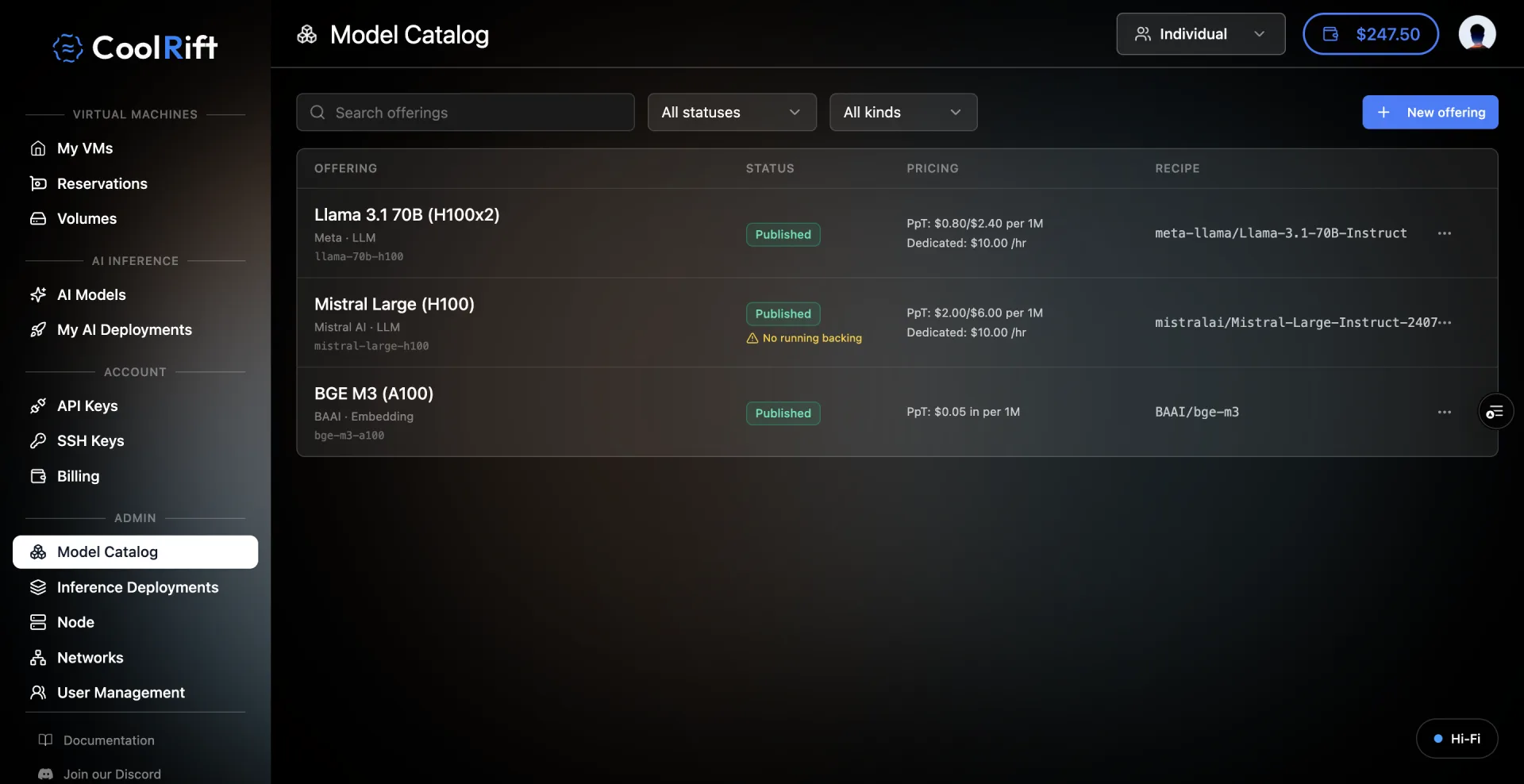
The first build became the v2 prototype, posted to the team channel on May 20. Publishing an offering dropped it straight into the customer catalog, users got a standalone My AI Deployments tab, the pay-per-token table carried Economy, Balanced and Fast tier labels, and every model answered on one shared API endpoint.
User sidebar
- My VMs
- AI Models
- My AI Deployments
- Billing
Admin sidebar
- Nodes
- Model Catalog
- Inference Deployments
- User Management
4 AI surfaces across 2 roles
04
What Broke
Marina answered the next morning with a nine-point teardown. Point 7 exposed the hole the next five weeks revolved around: for pay-per-token, publishing an offering and standing up its inference backend are separate steps, and "I don't see that step in the design." I had modeled the catalog, not the work.
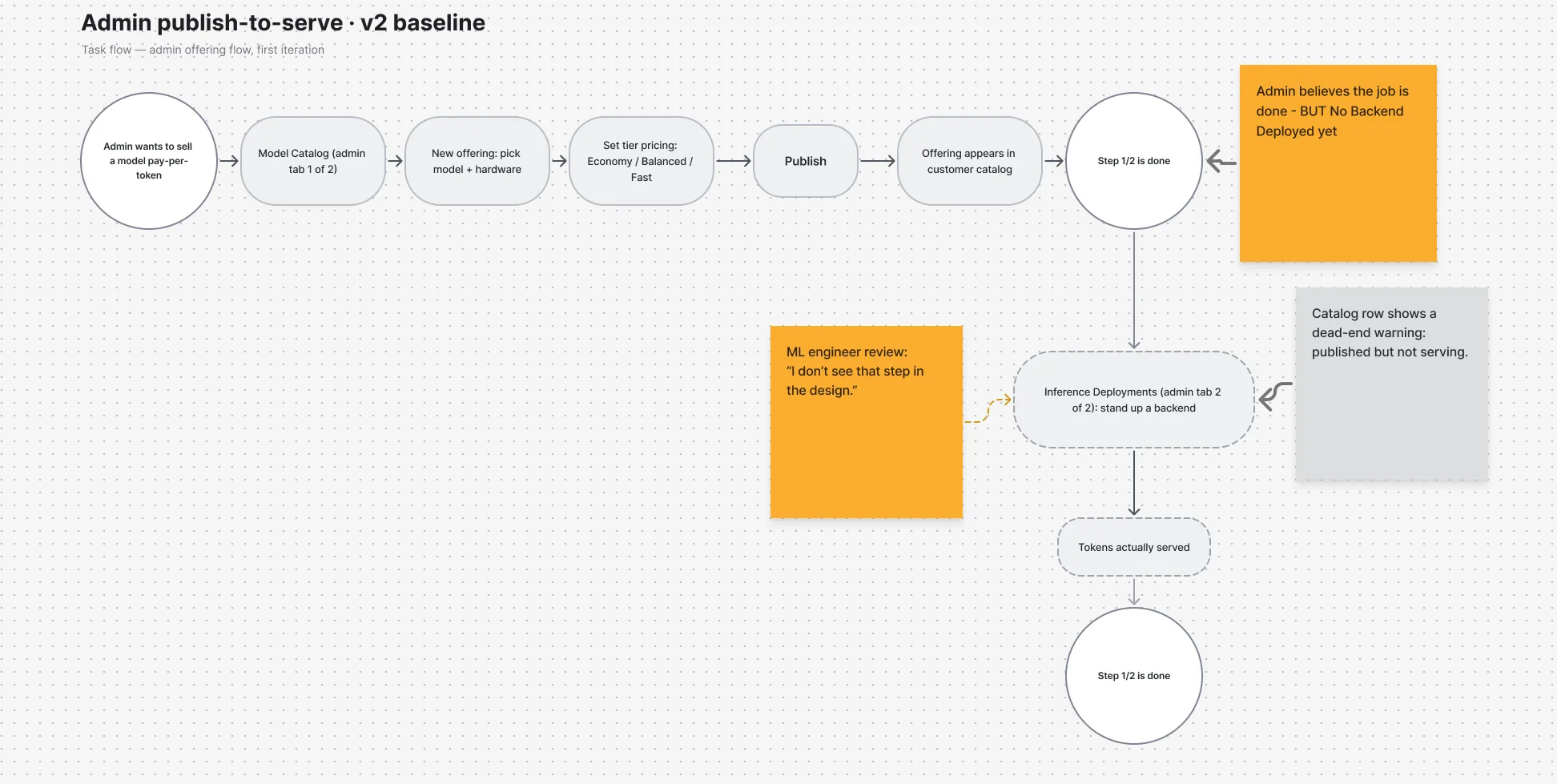
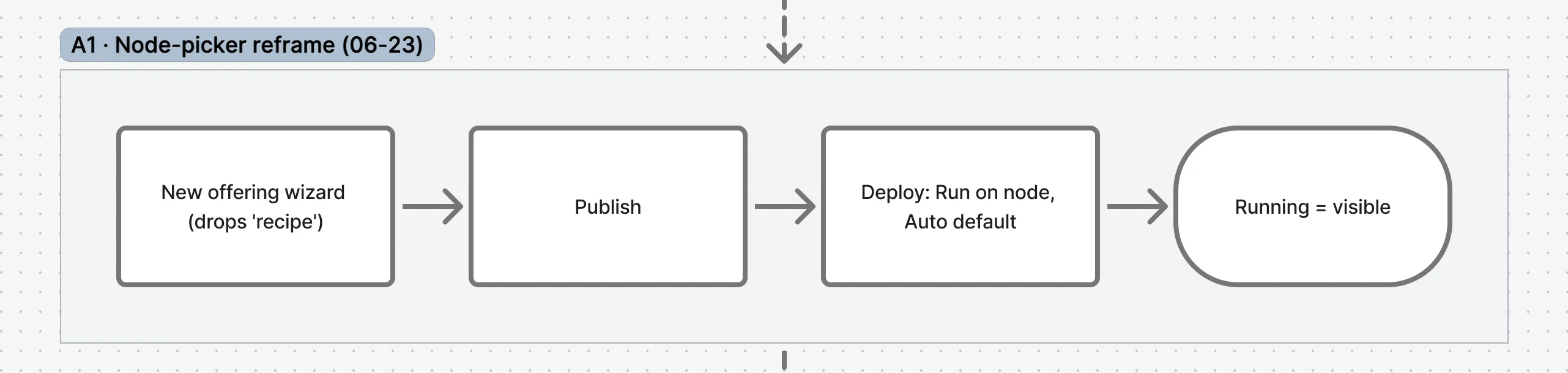
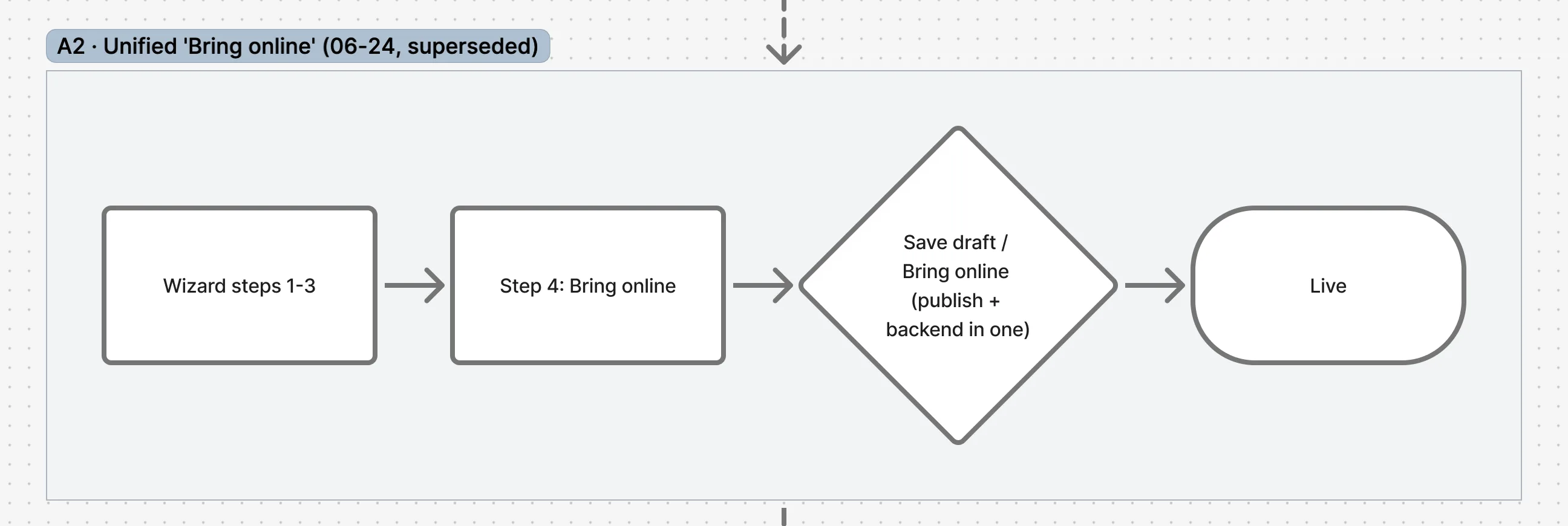
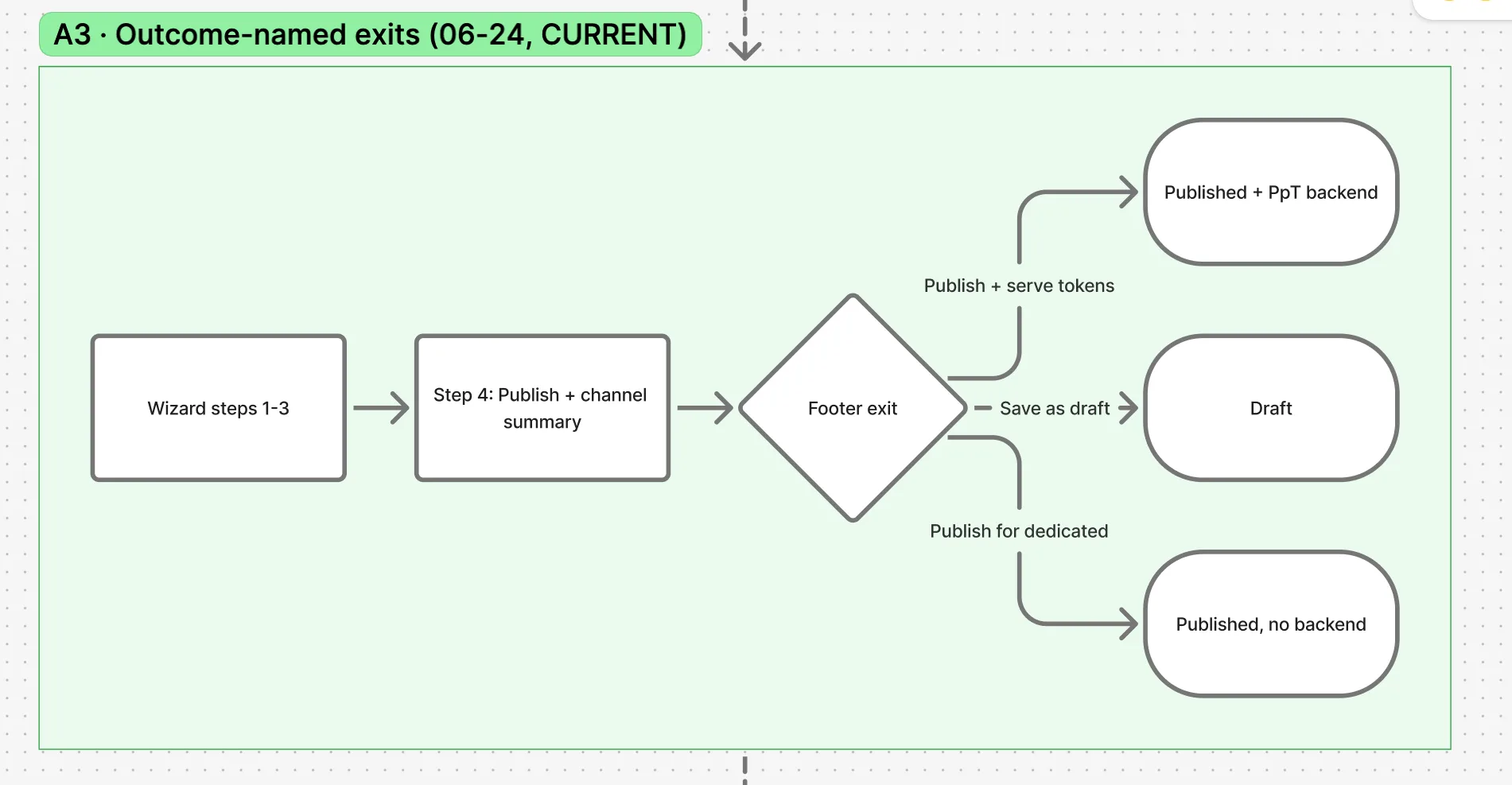
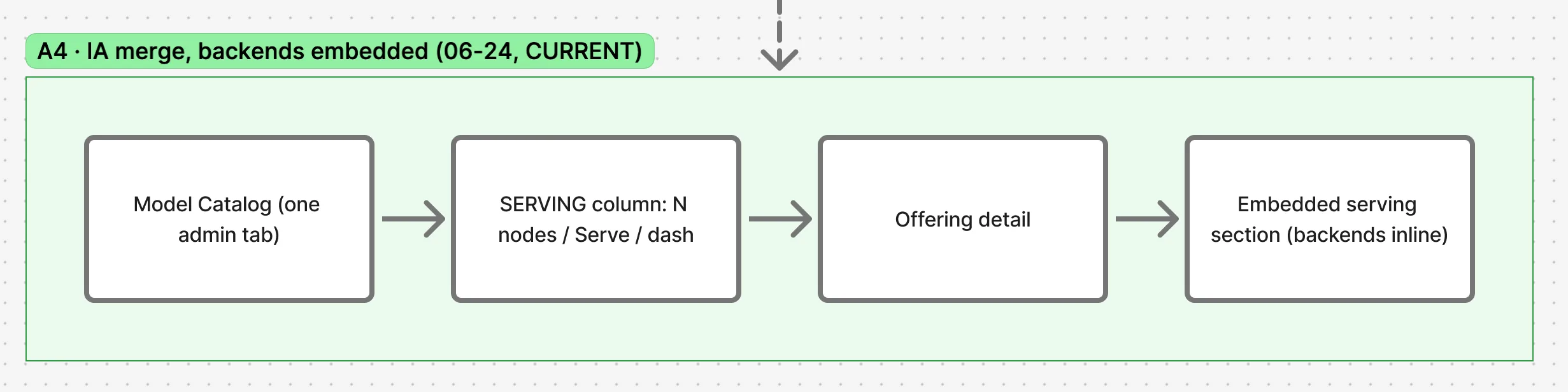
The publish-to-serve flow lived as lane A on the working FigJam board and went through five versions in two days of iteration.

05
What I Changed
Five prototype iterations over six weeks, each shipped as a fresh Vercel deploy and torn at in the team channel. Three moves carried the redesign.
One tab, outcome-named exits
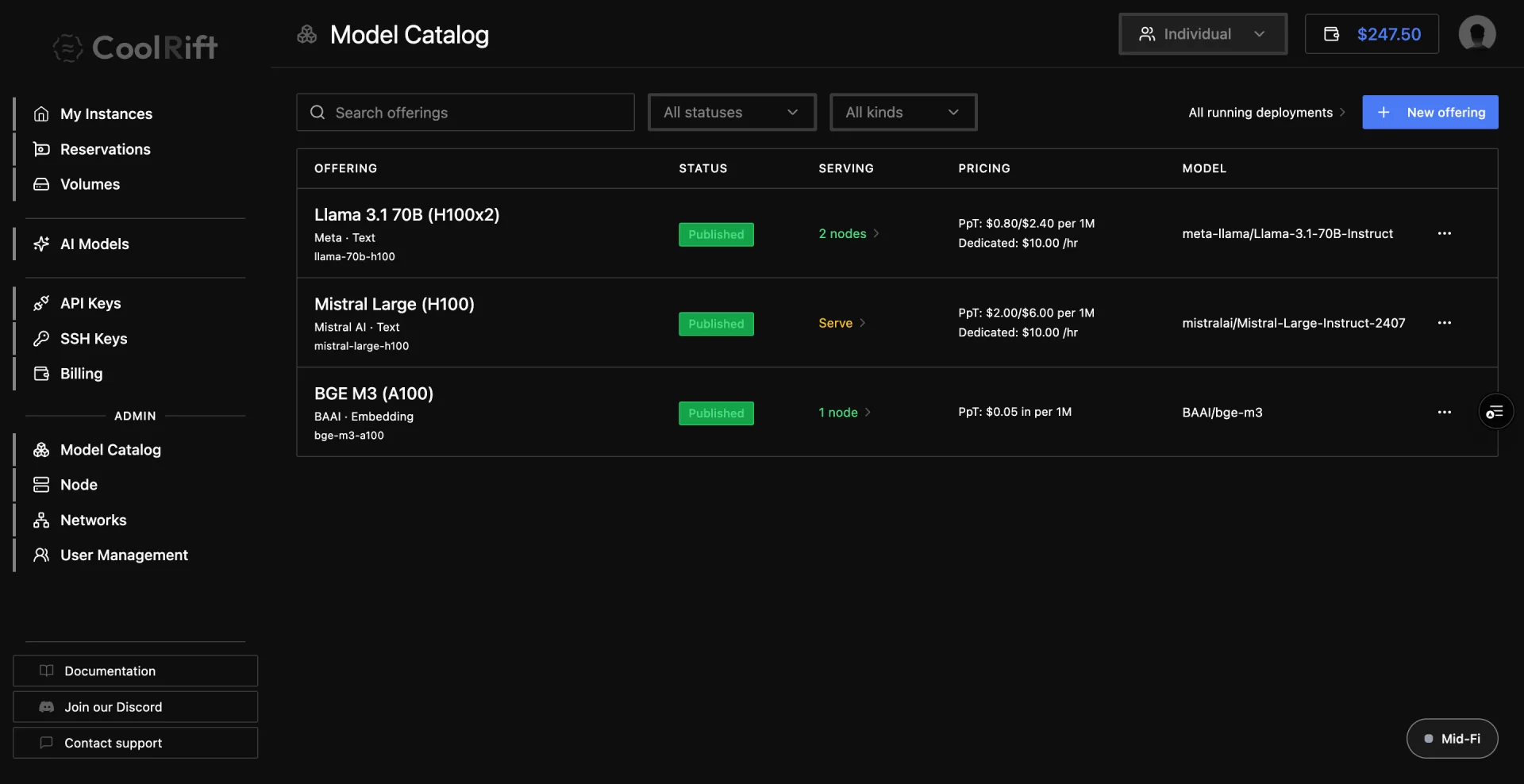
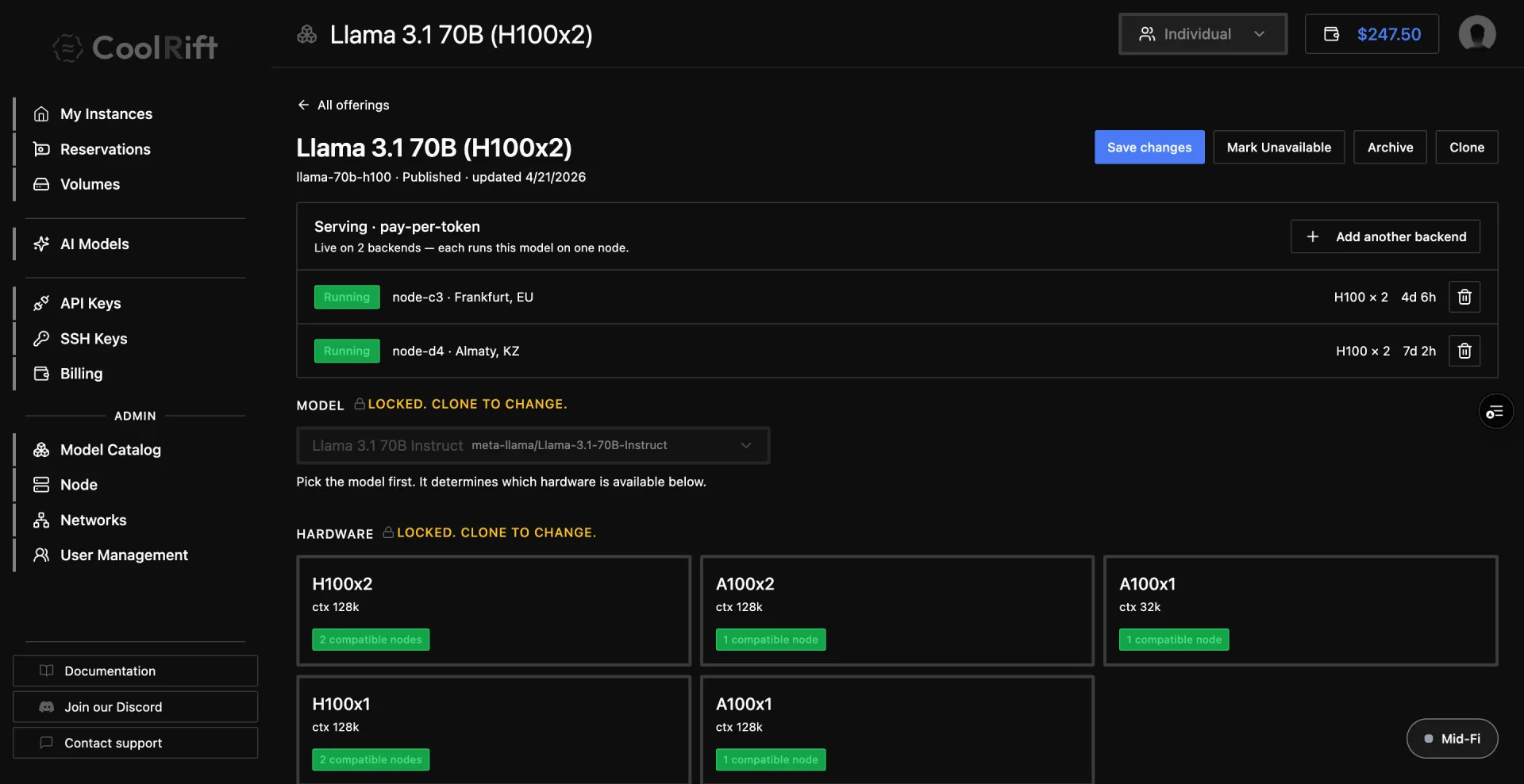
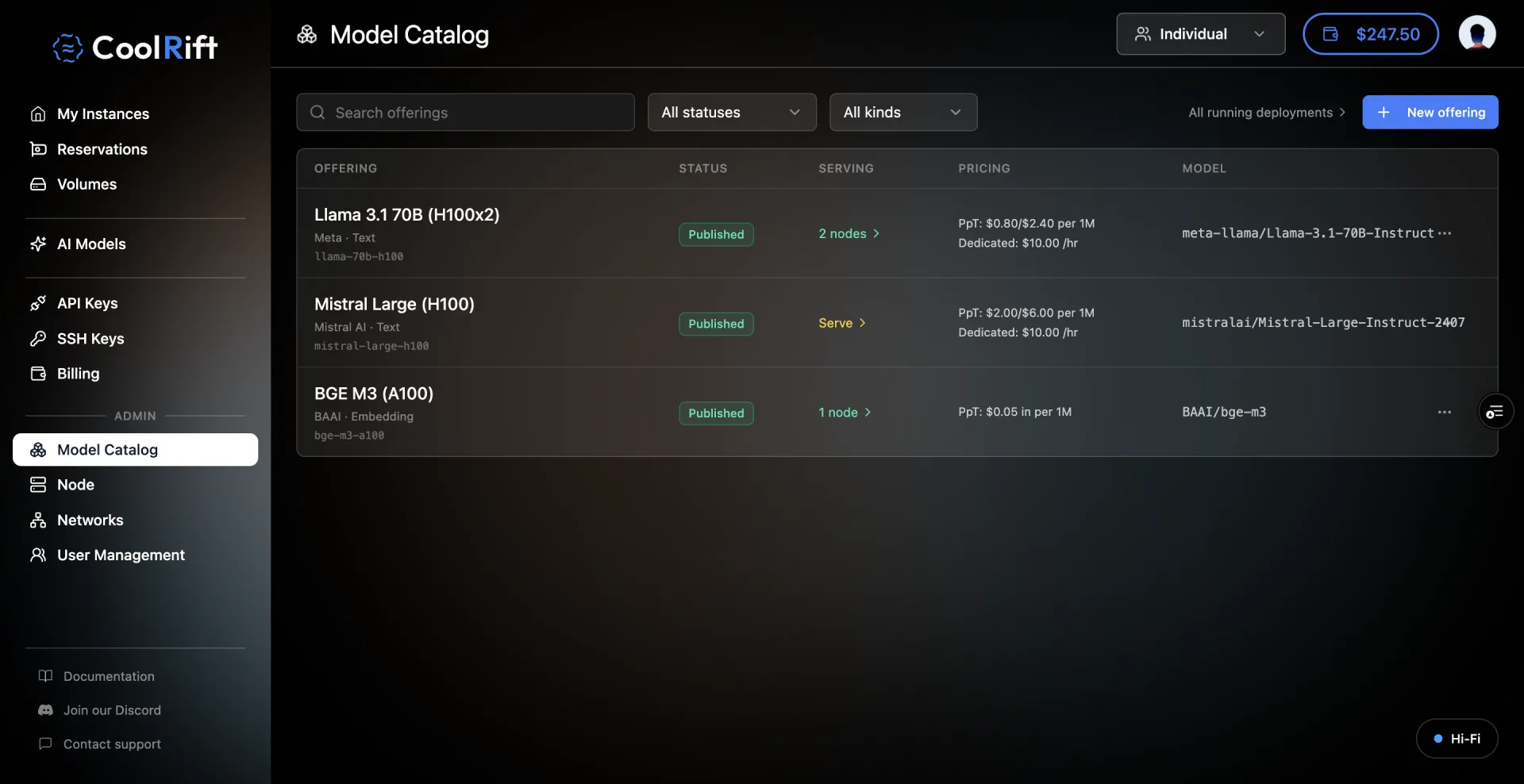
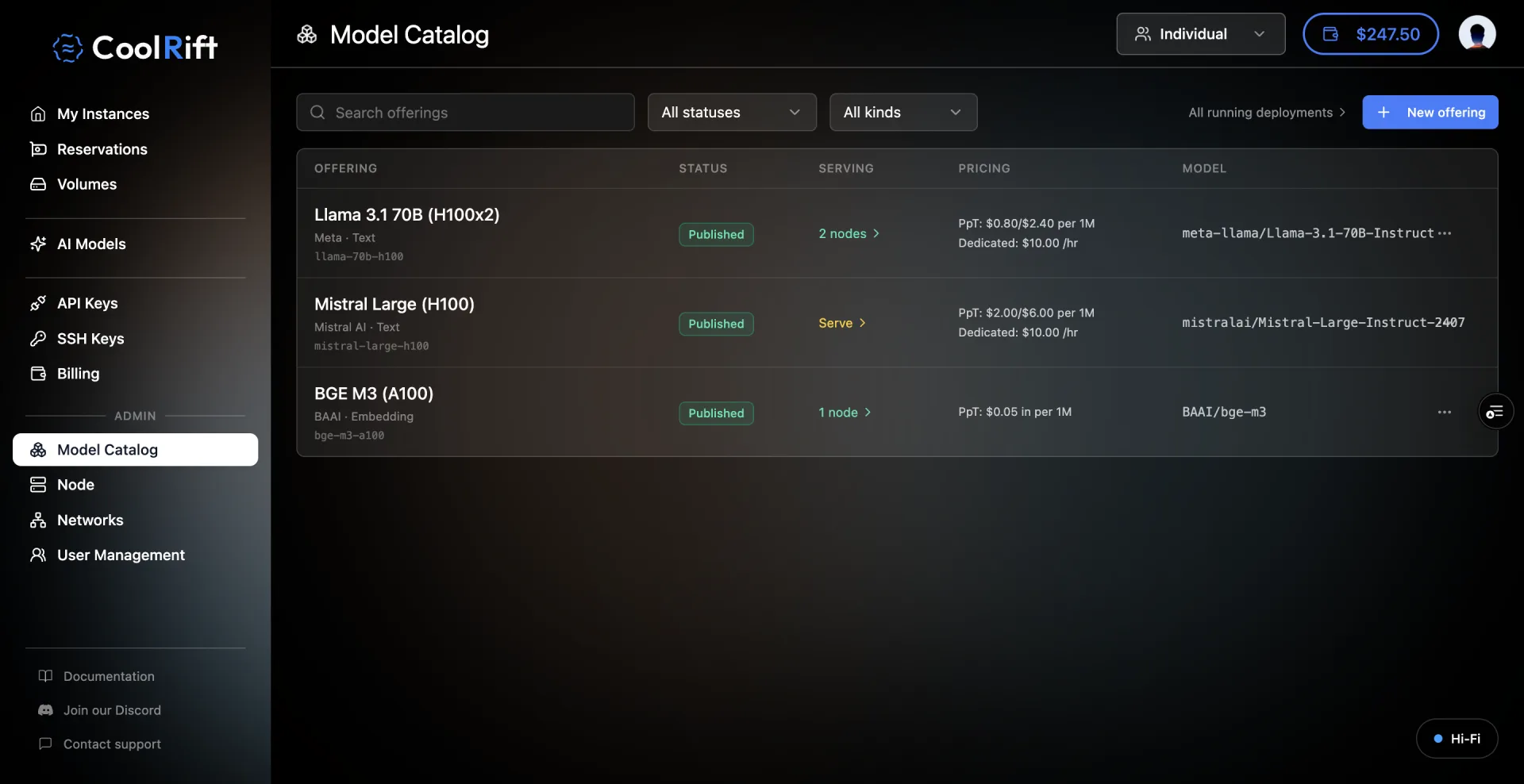
Admins never learned the publish-versus-deploy distinction, so the wizard stopped asking. Its final step summarizes the two ways users consume an offering and exits on outcomes: Publish for dedicated, or Publish and serve tokens. The node picker in that same step is where the manual-node-selection finding lands: dedicated end-client deployments need a say in which physical server they hit, so picking a node, with an automatic default, sits inside the wizard. The two admin tabs collapsed into one catalog with a SERVING column, and each offering manages its backends inline, which is where Marina's point 8 (multiple backends per offering) lives as "Add another backend."
Factual rows instead of tiers
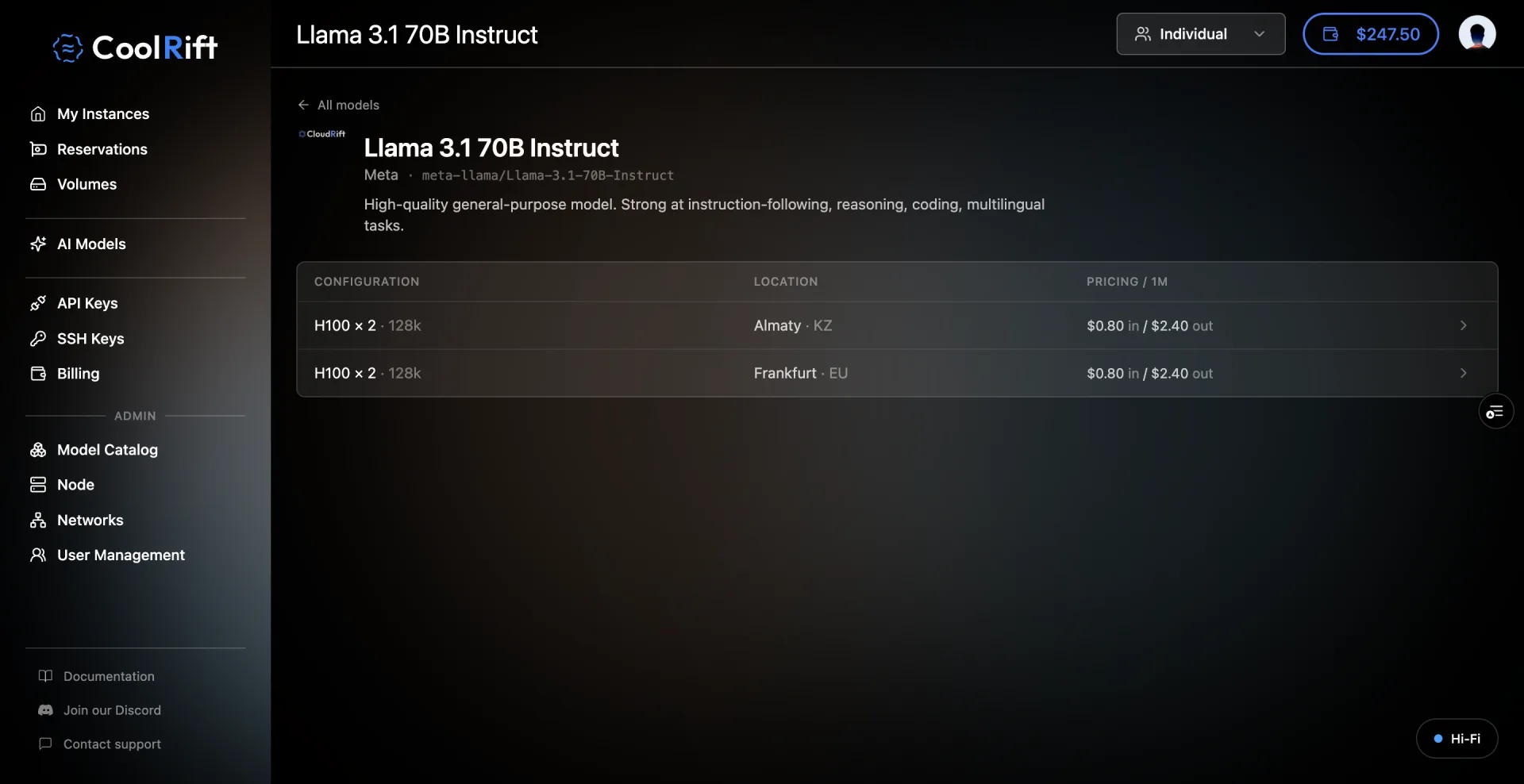
The tier labels disappeared. Customers now see configuration by location rows priced per million tokens; hardware is chosen by the model id, region by the endpoint host, so data residency is part of the URL rather than a filter. The model-id choice is also where the MIG finding lands: customers never pick GPUs directly, so the slice-versus-whole-GPU confusion has no surface left to live on.
Dedicated joins the rental flow
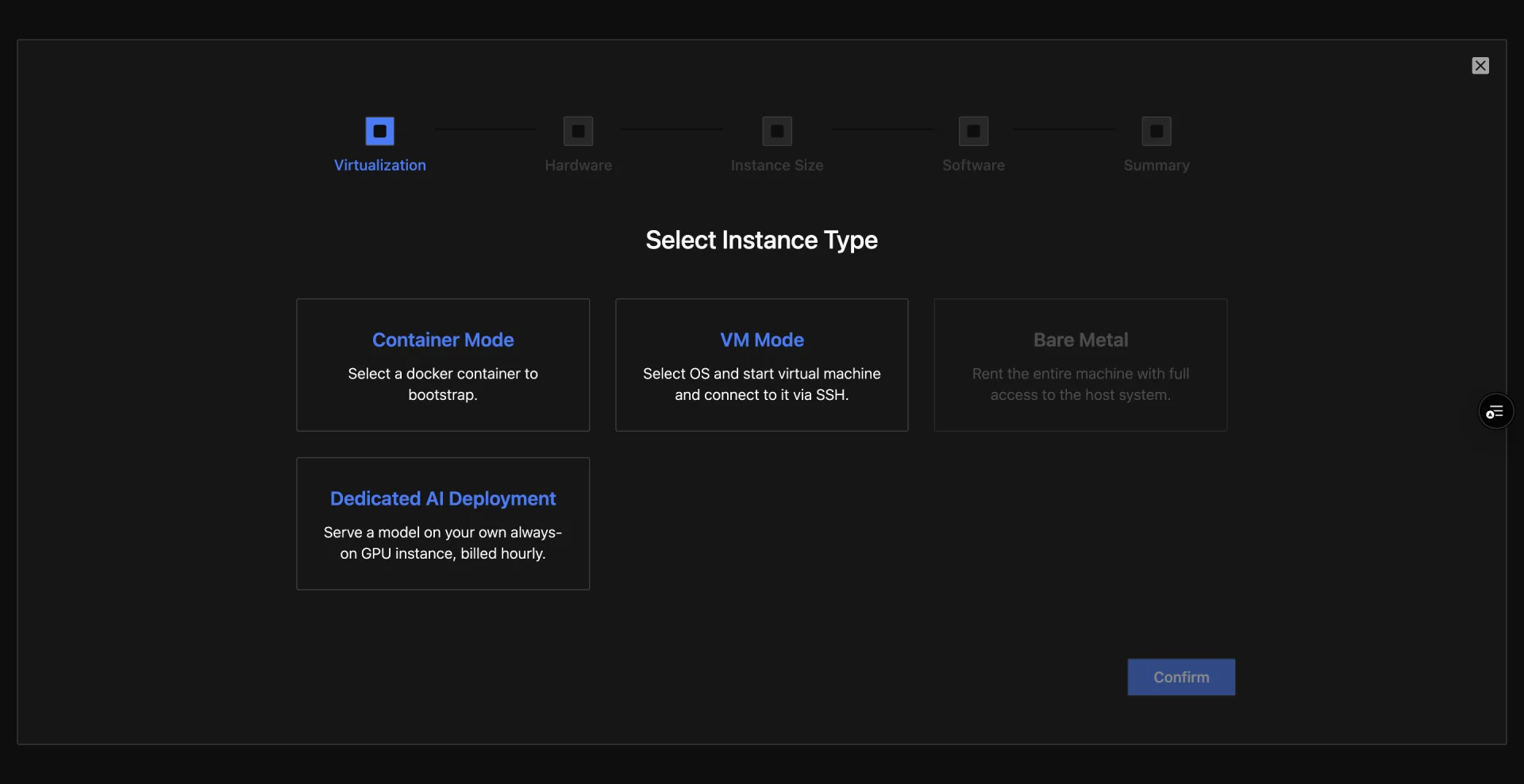
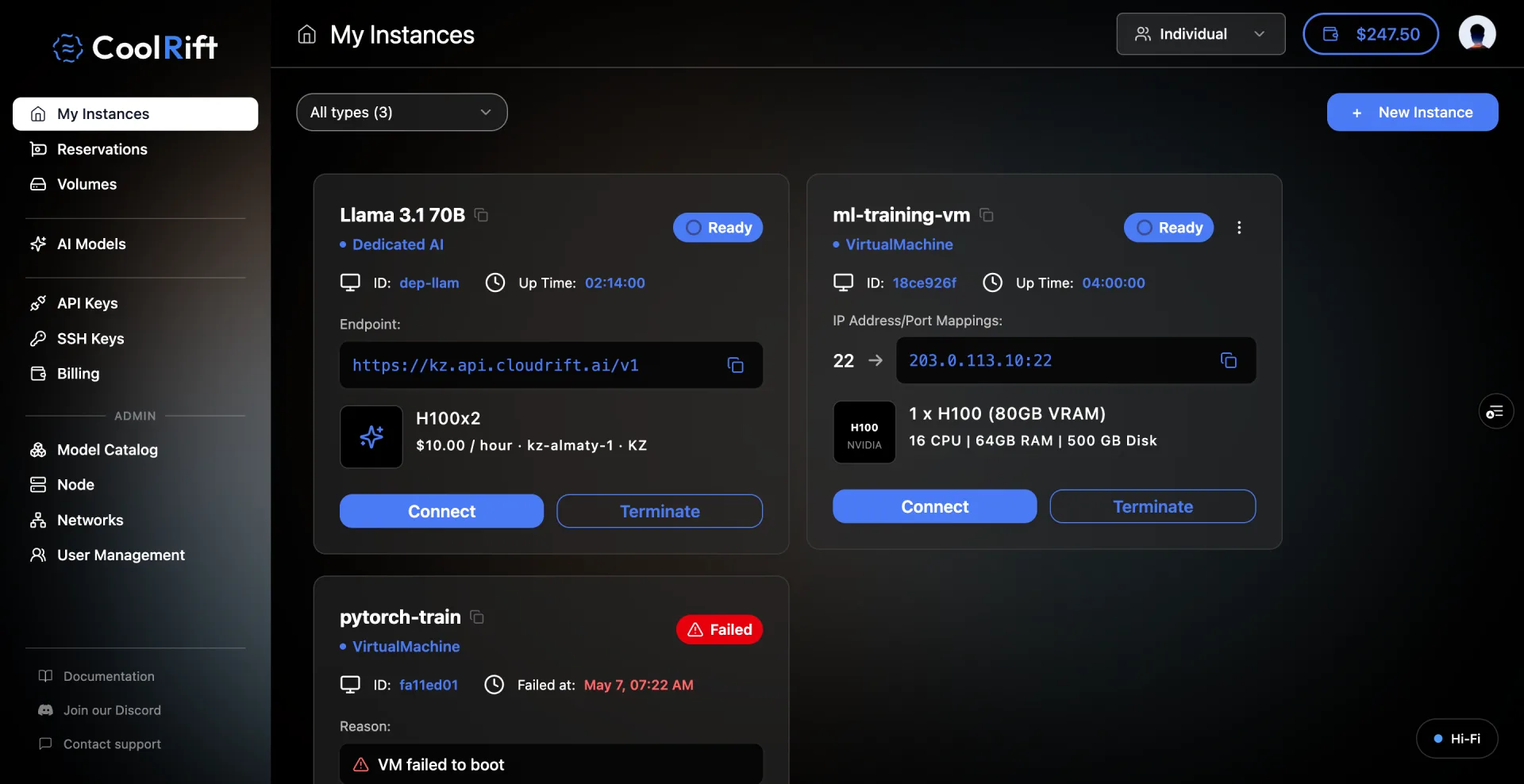
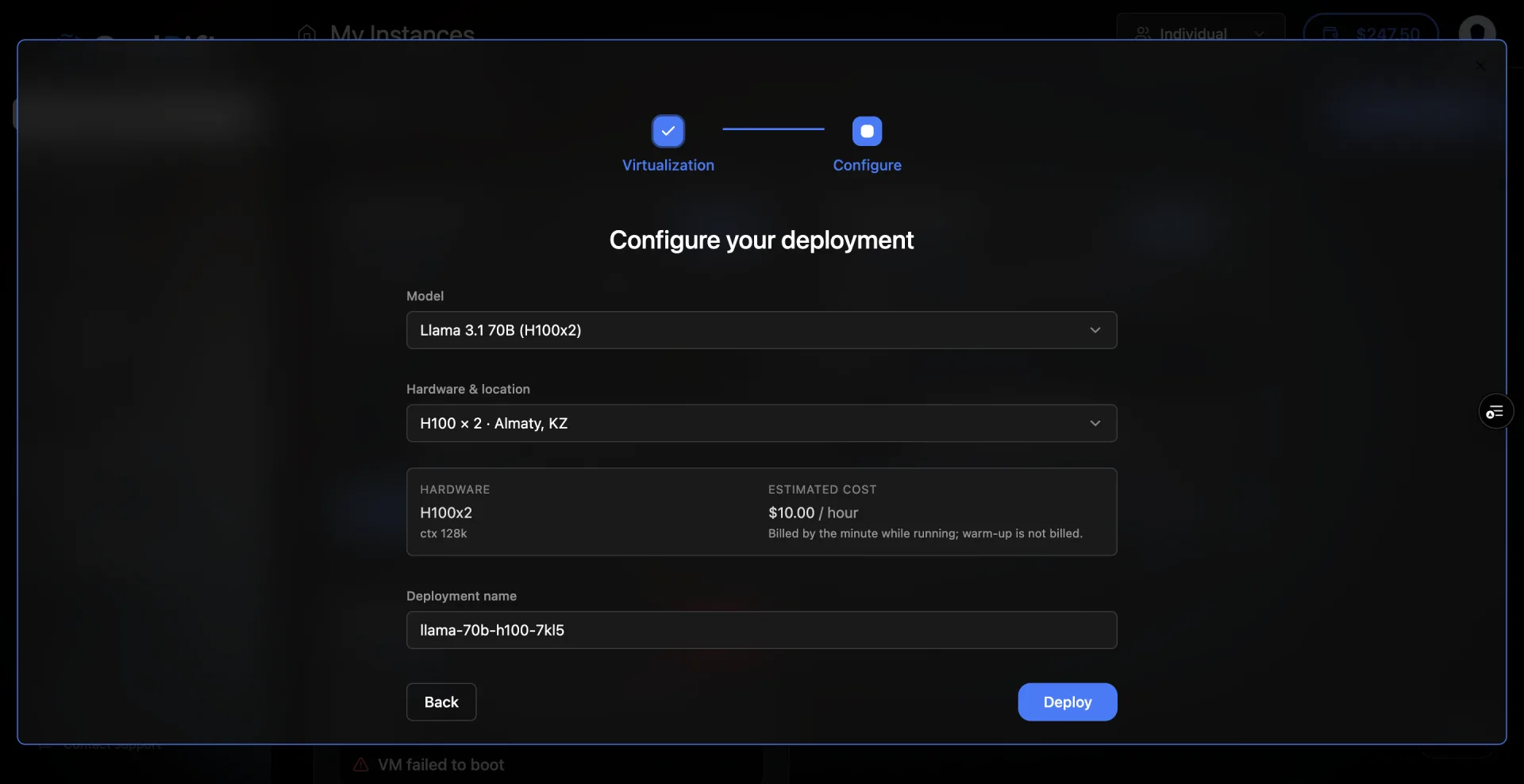
The standalone deployments page retired. Dedicated AI Deployment became a fourth card in the rental wizard next to VM, Container and Bare Metal, and running deployments render as cards in the same dashboard grid as VMs.
Design surfaces
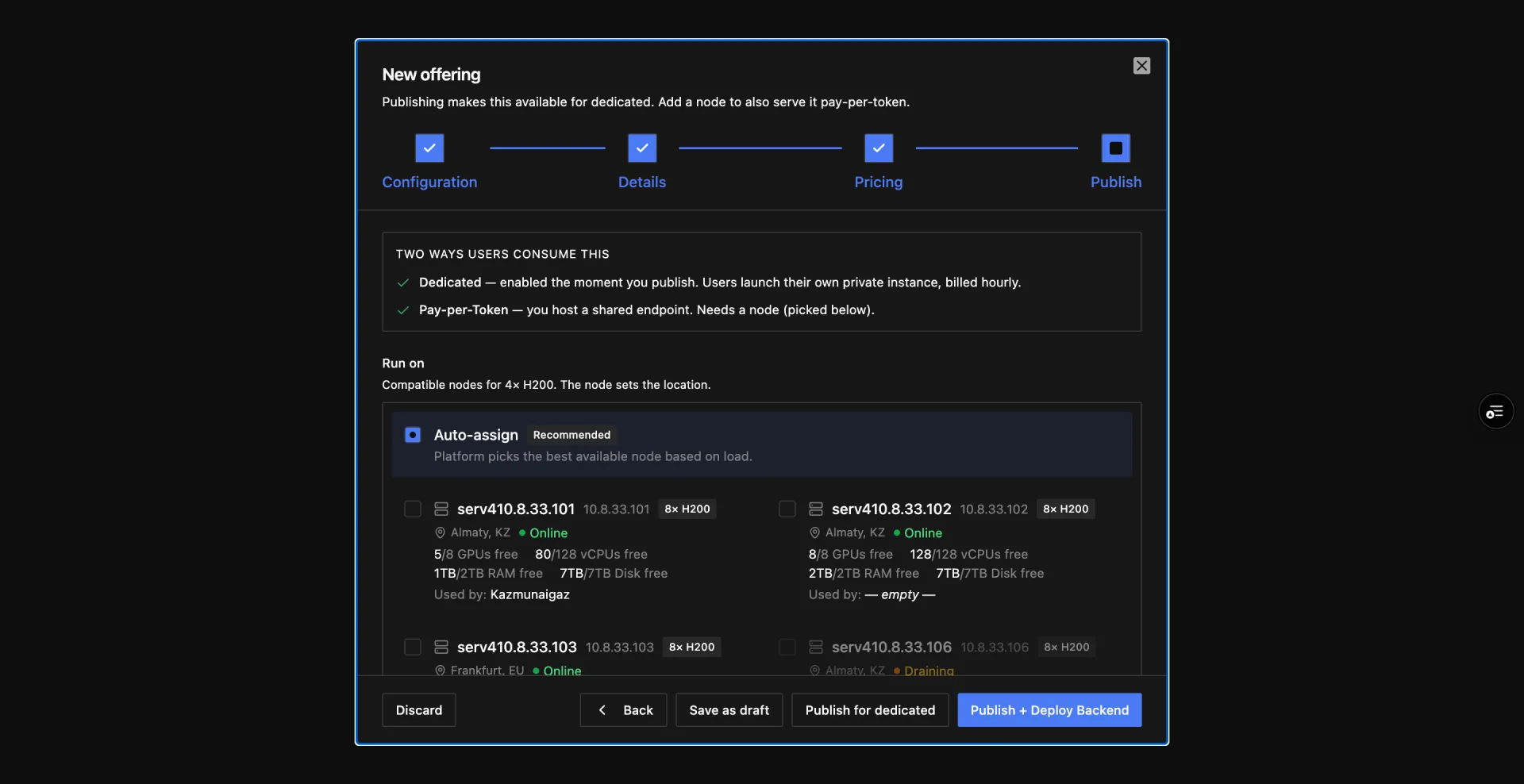
06
Result
Final product
Defensible numbers
- The admin publish-to-serve path went from four surfaces across two tabs to one tab.
- Two sidebar items retired: My AI Deployments and Inference Deployments.
- All nine review points resolved in the design or explicitly de-scoped; monitoring was split into its own feature rather than promised in this one.
Qualitative
The prototype replaced the spec: engineers reviewed live deploys instead of sifting through Figma. The telco validated the flow shape in a June review, from clicking it rather than reading about it, and asked for it not to be reshuffled.
What I didn't measure (and won't fake)
- Task-completion timing on any flow; the prototypes ran on mock data with no analytics.
- Whether the dashboard card grid holds past six items now that deployments share it. Flagged for validation, not assumed.
- Inference metrics; none were instrumented yet, which is exactly why the monitoring view was de-scoped.
07
What I Learned
The lasting lessons are about method, not screens.
Carried over to the next system
- The prototype is the spec. One clickable artifact that engineers, the CEO and the client all react to beats parallel documents.
- Design to instrumented reality. No filters for metrics the backend does not emit yet, but leave the seam so the next iteration slots in.
- Some UI constraints are physics. Tensor parallelism means 1, 2, 4 or 8 GPUs, never 6. The hardware picker is a readout, not a preference.
What I'd do differently
- Ask for the numbered teardown before the first polish pass. Marina's nine points were available for the asking a week earlier.
- Name the admin's mental model first. Most of the iteration count went into un-exposing a backend object chain that never belonged in the UI.
Case Study 01 Clear
Thanks for reading. If you want to talk about this work, reach out any time.